



JOB DETAILS — AT A GLANCE
| Detail | Info |
|---|---|
| Category | Work From Home Jobs |
| Location | United States (home-based) |
| Job Type | Full-time, part-time, and contract roles |
| Work Mode | Remote / work from home |
| Education Required | Varies; many roles value certifications over degrees |
| Experience Required | Entry-level to senior roles available |
| Skills Required | Technical troubleshooting, communication, documentation, security awareness |
| Salary/Pay | Varies by role — check the official advert; no figure is stated here |
| Who Can Apply | US residents authorized to work in the United States |
| How to Apply | Apply through the employer’s official careers page or reputable tech job boards |
Technology was made for remote work. The systems IT professionals manage live in the cloud, the users they support are everywhere, and the tools for the job run perfectly well from a home office. That is why at home IT jobs are among the most numerous and best-structured remote careers in the United States.
This guide maps the landscape: the main families of remote IT roles, what each one actually does day to day, the certifications that open doors, and a realistic path from beginner to hired. No hype, no invented salaries, just a clear picture of how Americans build IT careers from home.
Table of Contents
- 1. Why At Home IT Jobs Are a Strong Career Choice
- 2. The Main Families of At Home IT Jobs
- 3. Key Responsibilities Across IT Roles
- 4. Skills, Certifications and Qualifications
- 5. Setting Up Your Home IT Workspace
- 6. Career Growth in Remote IT
- 7. How to Apply for At Home IT Jobs
- 8. What to Avoid: IT Job Scams and Traps
1. Why At Home IT Jobs Are a Strong Career Choice
IT is one of the few fields where remote work is the default rather than the exception. Employers have spent years building secure remote access, cloud infrastructure, and distributed teams, so a home-based IT professional slots into systems designed for exactly that.
The career ladder is unusually clear. Entry-level support roles lead to system administration, network engineering, cybersecurity, cloud architecture, or software development. Each step has recognized certifications and well-documented skill requirements, so you always know what to learn next.
Demand is broad-based. It is not just tech companies hiring: hospitals, banks, schools, government agencies, and retailers all need IT staff, and many of those roles are now remote. Our guide to health care IT jobs remote shows how one major sector hires.
There is also the flexibility of the work itself. Troubleshooting, coding, system monitoring, and documentation are all deep-focus tasks that many people do better at home than in a noisy open office. If you do your best thinking in a quiet room, IT may fit you naturally.
2. The Main Families of At Home IT Jobs
IT support and help desk roles are the classic entry point to at home IT jobs. You help users solve problems with their computers, accounts, and software, usually through remote-access tools, chat, and phone. Employers provide training on their systems, and the role builds the troubleshooting foundation every IT career needs.
System and network administration covers the servers, networks, and cloud services that businesses run on. Remote administrators monitor systems, apply updates, manage user accounts, and respond to outages. These roles need deeper technical knowledge but are very commonly remote.
Cybersecurity is a growing remote field. Analysts monitor security alerts, investigate incidents, and help protect company data. Entry usually comes through support or administration first, plus dedicated security certifications.
Software development and QA are fully remote-friendly. Developers write and test code from home, collaborating through version-control systems and chat. QA testers check software for bugs. Both value demonstrable skill, often shown through portfolios and coding assessments, over formal credentials.
Data and cloud roles round out the picture. Data analysts, database administrators, and cloud engineers manage the information and infrastructure modern companies depend on. These are mid-level destinations that reward continuous learning.
For a focused look at support careers, see remote IT support jobs and IT remote job.

3. Key Responsibilities Across IT Roles
While the technologies differ, at home IT jobs share core responsibilities:
- Diagnosing and resolving technical problems systematically
- Documenting issues, fixes, and procedures clearly for the team
- Monitoring systems, alerts, or ticket queues during your shift
- Communicating with non-technical users in plain language
- Following change-management and security procedures exactly
- Escalating complex or urgent issues through the proper channels
- Keeping software, systems, and security tools up to date
- Testing changes before they reach users or production systems
- Protecting sensitive data and reporting security concerns immediately
- Continuing to learn as technologies and threats evolve
Support roles add direct user interaction: guiding callers step by step, managing expectations about fix times, and turning frustrated users into satisfied ones. Infrastructure roles add on-call rotations and maintenance windows, often outside business hours.
Documentation deserves emphasis. In remote IT teams, the written record is how knowledge survives. Professionals who write clear tickets, runbooks, and post-incident notes become invaluable quickly, regardless of seniority.
4. Skills, Certifications and Qualifications
You can enter IT without a computer science degree. Many working professionals started with a high school diploma, curiosity, and a certification or two. What matters is demonstrable skill and a methodical approach to problems.
Entry-level certifications are the most efficient door-openers. Widely recognized starting points include CompTIA A+ for general IT support fundamentals, CompTIA Network+ for networking basics, and cloud fundamentals certifications from major cloud providers. These are earned through proctored exams and are recognized by employers nationwide.
Vendor and role-specific certifications come next: Microsoft, Cisco, AWS, and Google credentials for infrastructure and cloud paths; CompTIA Security+ or similar for security; and various credentials for project management as you grow. Choose certifications that match the roles you are targeting, not just the ones that sound impressive.
Hands-on skill beats paper credentials. Build a home lab: an old computer running virtual machines, a free-tier cloud account, or a Raspberry Pi can teach you more than any course alone. Document what you build; a simple portfolio of projects impresses hiring managers far more than a list of course completions.
Soft skills decide who thrives remotely. Patience with frustrated users, clear writing, calm incident handling, and honest communication about what you do not know yet. Technical interviews test knowledge, but behavioral interviews test whether a team can trust you at 2am during an outage.

5. Setting Up Your Home IT Workspace
IT work makes real demands on your setup. A reliable computer is the baseline; many employers provide one, but if you are learning or freelancing, invest in a machine that can run virtualization comfortably. Two monitors dramatically improve productivity for support and development work alike.
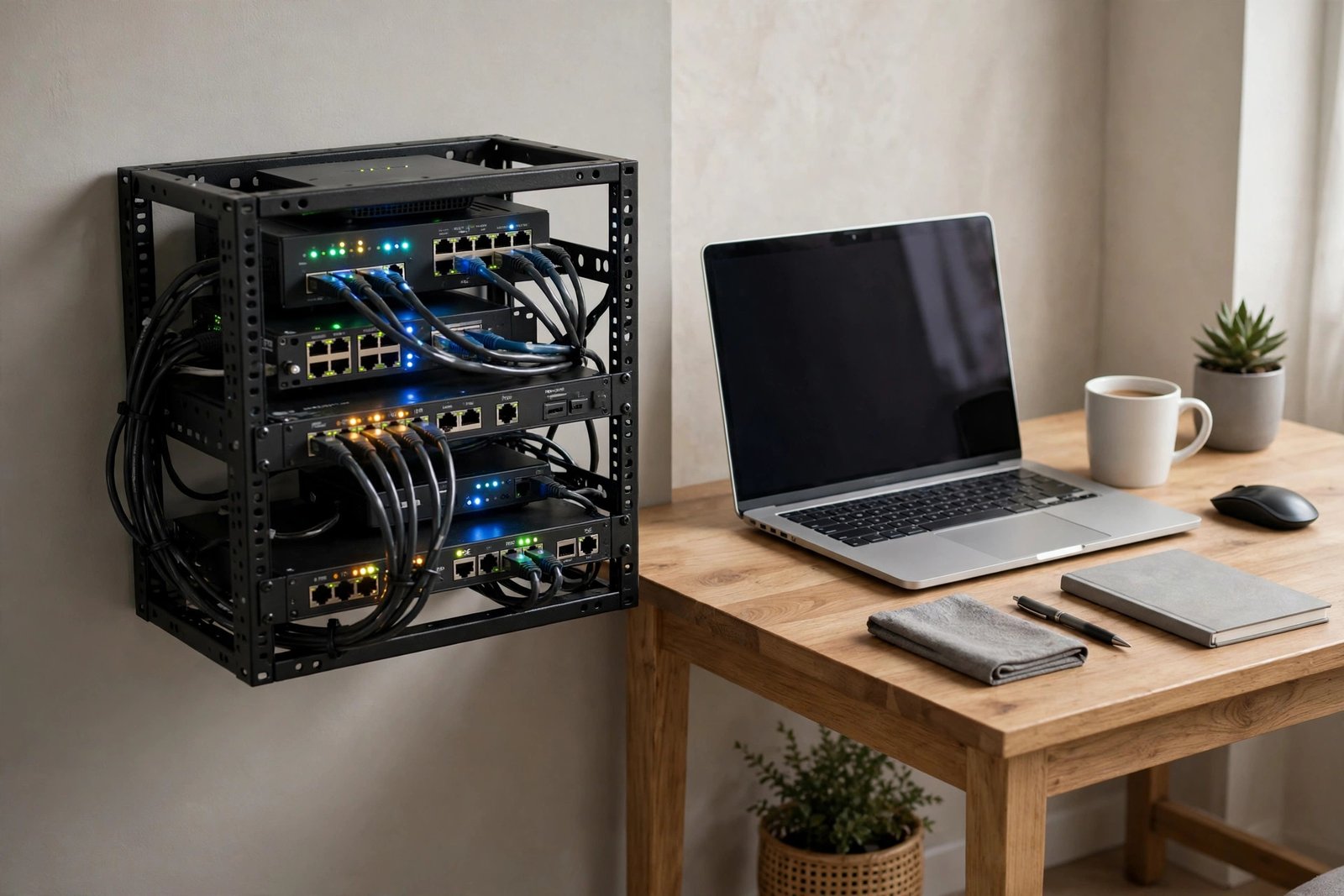
Your network matters more than in most remote jobs. A stable broadband connection is essential, and a wired Ethernet connection to your router is strongly recommended for reliability during remote sessions and video calls. Learn basic home-network troubleshooting; it is both a job skill and a practical necessity.
Security is part of the job description. Use a password manager, enable multi-factor authentication everywhere, keep your systems patched, and separate work and personal activity. If your employer provides a VPN and endpoint protection, use them exactly as instructed.
Ergonomics and environment count for long sessions. A proper chair, monitor at eye level, and good lighting prevent the strain that comes with eight hours at a screen. A quiet room with a door is important for support roles where you take calls.
Finally, build redundancy. A backup internet option, such as a phone hotspot, and an uninterruptible power supply can save you during outages. Remote IT workers are expected to stay reachable; planning for failures is professional, not paranoid.

6. Career Growth in Remote IT
IT has one of the clearest progression paths in remote work. A common trajectory runs from help desk analyst to senior support, then into system administration, network engineering, or security analysis, and onward to architecture or management. Each transition is marked by skills you can deliberately acquire.
Certifications structure the climb. Plan them in sequences: foundational, associate, then professional-level credentials in your chosen track. Employers hiring for work from home IT roles often list preferred certifications directly in adverts, which tells you exactly what to study.
Specialization increases your value. Generalists are useful, but experts in cloud security, automation, or a particular platform command attention. Follow your curiosity: the area you enjoy learning about on weekends is usually the right specialty.
Remote work widens your market enormously. You can work for employers in any state without relocating, which means more roles, more competition for your skills, and more leverage. Keep your professional profiles current and maintain relationships with former colleagues; the IT world is smaller than it looks.
Leadership paths exist remotely too. Team leads, IT managers, and directors all work from home now. The skills shift toward communication, planning, and mentoring, so start developing them early through documentation, training new hires, and leading small projects.
7. How to Apply for At Home IT Jobs
- Build a skills-based resume that leads with technologies and certifications.
- Create a simple portfolio: home-lab projects, scripts, or documentation samples.
- Search tech-focused job boards plus general boards with “remote” filters.
- Tailor each application to the advert’s required and preferred qualifications.
- Prepare for technical assessments; practice troubleshooting scenarios aloud.
- Be ready to explain your home setup: internet, workspace, and availability.
- Have work authorization documents ready for US employers.
- Follow up professionally and keep learning while you wait.
For entry-level applications, emphasize customer service experience alongside technical skill. Hiring managers for support roles consistently say they can teach technology but cannot teach patience and communication. If you have retail, hospitality, or call-center experience, frame it as an asset.
Honesty about your level is essential. Claiming skills you do not have collapses at the technical interview or, worse, on the job. It is far better to show strong fundamentals and a clear learning plan than to bluff.
8. What to Avoid: IT Job Scams and Traps
- Never pay for a “job placement”, “certification guarantee”, or required training upfront.
- Be wary of recruiters who cannot name the end employer or describe the role technically.
- Avoid “IT jobs” that are really sales roles for tech products in disguise.
- Do not install remote-access software at a stranger’s request during “interviews”.
- Never share passwords, MFA codes, or full system access with unverified contacts.
- Treat offers far above market rate for your experience level with scepticism.
- Check that training bonds or repayment clauses are reasonable before signing.
- Verify employers through official websites and independent reviews.
A common trap is the fake IT support job used for fraud: you are “hired”, sent a cheque for “equipment”, and asked to forward the remainder. The cheque bounces and you owe the bank. Real employers never hire this way. Another is the unpaid “trial project” that is actually free labor; short assessments are normal, days of work are not.
Frequently Asked Questions
Can I get at home IT jobs with no experience?
Yes, through entry-level support and help desk roles. Employers hiring beginners look for basic technical aptitude, strong communication, and a willingness to learn. An entry-level certification and some home-lab practice significantly strengthen your application.
Do I need a degree for at home IT jobs?
Not necessarily. Many IT employers prioritize certifications and demonstrable skills over degrees, especially for support, administration, and development roles. Some large employers and government positions do prefer degrees, so check individual adverts.
Which certifications should I get first?
For general IT support, CompTIA A+ is the most widely recognized starting point. For networking, consider Network+. For cloud roles, a fundamentals certification from a major cloud provider is a sensible first step. Match your choices to the roles you want.
What internet speed do I need?
Requirements vary, but a stable broadband connection capable of video calls and remote-desktop sessions is the baseline. A wired Ethernet connection is recommended for reliability. Check each advert, as some support roles specify minimum speeds.
Are at home IT jobs really full-time careers?
Absolutely. Remote IT includes full-time permanent positions with benefits at every level from help desk to architect. Contract and part-time roles exist too, but the core of the field is stable, long-term employment.
How competitive is the field?
Entry-level support is competitive because it is the main gateway into IT. You stand out with certifications, hands-on practice, a tidy portfolio, and strong communication skills. Specializing early in an area like cloud or security also reduces competition.
Will my employer monitor my work?
Most remote IT employers track tickets, system activity, or output metrics rather than watching you directly. This is normal and usually stated in the role description. Focus on delivering measurable results and it becomes a non-issue.
Conclusion
At home IT jobs offer one of the most reliable routes into well-paid remote work in America. The path is well marked: build foundational skills, earn respected certifications, practice hands-on, and apply with honesty about your level. Employers across every sector need people who can keep their systems running, and they increasingly do not care where those people sit.
Start where you are. Set up a small home lab, pick one entry-level certification, and begin applying for support roles while you study. The IT professionals working from home today mostly started exactly that way. For role-specific next steps, explore our remote IT support jobs guide.