


Remote IT support jobs: solving problems and helping people get back to work, from home.
JOB DETAILS — AT A GLANCE
| Category | Remote Jobs USA |
| Location | USA — work from home |
| Job Type | Full-time and part-time (varies by role) |
| Work Mode | Remote |
| Education Required | Varies by role |
| Experience | Varies by role, from entry-level to experienced |
| Skills | Troubleshooting, communication and organisation (vary by role) |
| Salary | Varies by role — check the official advert; no figure is stated here |
| Who Can Apply | Jobseekers in the USA who meet the employer’s eligibility requirements |
| How to Apply | Online, with a tailored CV or resume, via the employer’s official listing |
Note: details vary by role and employer. Always check the official advert before applying.
If you enjoy solving problems, explaining technology in plain language, and helping people get back to work quickly, remote IT support jobs may be a strong fit. These roles sit at the practical heart of modern workplaces. When a laptop will not connect, an application will not load, a password reset is blocking a deadline, or a new starter needs their accounts set up, an IT support professional is often the first person called.
Remote IT support jobs in the USA are not one single job. They cover a family of roles that differ in focus, seniority, working hours, and technical depth. Some roles are mainly customer-facing and focus on everyday software and device problems. Others focus on networks, systems, security, or specialist business applications. Understanding those differences matters, because the job title alone does not always tell you what the day-to-day work will involve.
This guide brings the key questions together in one place. It explains what remote IT support jobs are, the main role types, the broader remote tech roles that often sit nearby, the certifications and skills employers commonly check, how to find genuine roles, how to avoid scams, how to prepare a strong application and interview, what affects pay in general terms, and a practical action plan you can start this week. It is written for jobseekers in the USA, including career changers and people looking for their first IT support role, as well as experienced technicians who want to move into remote work.
What Are Remote IT Support Jobs?
A remote IT support job is a technology support role carried out away from the employer’s office, usually from home. Support is provided by phone, video call, live chat, email, ticketing systems, or remote-access tools. The work is the same in spirit as on-site support: diagnose a problem, explain the next step clearly, fix what can be fixed, escalate what cannot, and record what happened so the next person can follow up.
Remote does not mean unsupervised, unstructured, or always flexible in hours. Many remote support teams work to a rota, cover specific time zones, and must be available during agreed shift hours. Some roles involve evenings, weekends, or on-call cover because users and customers may need help outside normal office hours. Others follow a standard weekday pattern. Always check the working hours, time-zone requirements, and response-time expectations in the job description before applying.
A typical remote support day may include answering tickets in priority order, troubleshooting connectivity and software issues, guiding a user step by step through a fix, setting up accounts and permissions, documenting solutions, and handing over complex cases to a more senior team. The best support professionals combine technical accuracy with patience. A technically correct answer that confuses the user has not fully solved the problem.
Remote IT support also requires good home-working basics: a reliable internet connection, a quiet space for calls, and the ability to follow security procedures. You may be asked to use a company laptop, a virtual private network, multi-factor authentication, and approved tools only. Those controls protect both the employer and the people you support, and following them carefully is part of the job.
Main Types of Remote IT Support Jobs
Job titles vary from employer to employer, so focus on the duties described rather than the title alone. The roles below are the most common starting points and progressions.
Help Desk and Service Desk Support
Help desk and service desk roles are often the front door of IT support. You are usually the first contact for users who need help with accounts, passwords, email, common applications, printers, devices, and basic network problems. The work is fast-paced and people-focused. You will log tickets accurately, follow standard procedures, check whether a problem is already known, and decide when to escalate.
This is a common entry point into IT support because it builds the habits that matter everywhere else: listening carefully, asking useful diagnostic questions, staying calm under pressure, and writing clear notes. If you enjoy variety and regular contact with people, this type of role can be a good place to start.
Desktop and End-User Support
Desktop support, sometimes called end-user support or technical support, focuses more deeply on the devices and software people use every day. That can include setting up laptops, diagnosing operating system and application faults, managing updates, checking device settings, and helping users after a hardware or software change.
In a remote version of this role, you may guide users through fixes by phone or video, use remote-access tools where the employer permits them, or arrange a repair or replacement when a device fault cannot be fixed remotely. Clear instructions matter here. A user who is already frustrated needs short steps, confirmation at each stage, and a plain-language explanation of what has changed.
Network Support
Network support roles focus on connectivity: why a device cannot reach the network, why a connection is slow or unreliable, and whether a problem sits with a device, a local network, a wider network, or a service provider. These roles usually require stronger networking knowledge than general help desk work, including how devices are addressed, how traffic moves across a network, and how to read basic diagnostic results.
Remote network support does not usually mean physically replacing cables or hardware at a user’s home. It more often means remote diagnosis, configuration checks, coordination with field teams or providers, and careful escalation when an on-site visit is genuinely needed. Attention to detail is essential, because small configuration differences can cause confusing symptoms.
Systems and Infrastructure Support
Systems support roles look after the servers, cloud services, accounts, and business systems that teams depend on. Duties may include user account administration, software deployment, monitoring system health, applying updates, and responding when a service is degraded. These roles tend to suit people who enjoy structured work, documentation, and following change procedures carefully.
This area also offers a natural progression route. A support professional who becomes reliable at systems work, learns how services are configured, and understands security basics may later move towards systems administration, cloud support, or infrastructure roles. That progression is not automatic, and it usually depends on experience, further learning, and the needs of the employer.
Application and Specialist Support
Some remote IT support jobs focus on one product, platform, or business area. For example, you might support a customer relationship system, a finance application, a healthcare system, or a specialist software product. These roles reward product knowledge as much as general IT knowledge. You need to understand the workflow the user is trying to complete, not only the error message on the screen.
Specialist support can be a good fit if you already know an industry or product well. It can also be a useful way to build depth. The trade-off is that very narrow product experience may need to be balanced with broader troubleshooting skills if you later want to move into a more general role.
Remote Tech Roles: The Wider Picture
When people search for remote IT support jobs, they often come across a wider set of remote tech roles. Understanding the difference can prevent wasted applications and help you spot a realistic next step.
Remote tech roles is a broad umbrella term. It can include software development, quality assurance, data work, cloud engineering, cybersecurity, product support, and IT support. Those roles do not all require the same background. A software developer role, for example, usually expects programming experience, while a support role places more weight on troubleshooting, communication, and service skills.
There is overlap, however. A support engineer may work closely with developers when a product fault needs investigation. A junior systems role may sit between support and infrastructure. A technical support specialist for a software company may need deeper product and troubleshooting knowledge than a general help desk role. If a remote tech role interests you, read the required skills carefully and compare them honestly with your current experience. A role that asks for a different core skill set is not necessarily a poor fit forever, but it may need a longer preparation plan.
For most people starting in IT support, the sensible path is to build a strong foundation first: reliable troubleshooting, clear communication, good documentation, and familiarity with common operating systems, networks, and security practices. That foundation makes later specialisation easier, whether you move towards networking, systems, cloud, security, or product support.
Who Is Suited to Remote IT Support Work?
Technical interest matters, but it is not the only requirement. Remote IT support suits people who can stay organised without someone looking over their shoulder, manage a queue of tasks, and switch between different problems without losing track of details.
Helpful personal qualities include patience, curiosity, and clear communication. You will often help people who are stressed, busy, or unfamiliar with technical language. Explaining a fix without jargon, checking understanding, and confirming the outcome are everyday skills. So is knowing when to say that you need to investigate further rather than guessing.
You do not need to know everything on day one. Employers generally expect you to follow procedures, use knowledge bases, ask colleagues for help when needed, and keep learning. What they do expect is reliability: turning up for shifts, responding promptly, keeping tickets up to date, and protecting user data. Remote work can look flexible from the outside, but support teams depend on coverage. Reliability is part of professionalism in this field.
IT Support Jobs Remote: Certifications in General Terms
Certifications can help a jobseeker show structured knowledge, especially when changing careers or applying for a first IT role. They are not, however, a guarantee of a job. Employers usually consider certifications alongside experience, practical skills, communication, and performance in interviews or assessments. A certificate alone does not prove that someone can handle a difficult user, prioritise a busy queue, or troubleshoot an unfamiliar problem calmly.
For IT support jobs remote, the most commonly discussed entry-level areas include hardware and operating systems, basic networking, troubleshooting methods, and security awareness. Vendor-neutral certifications cover concepts that can apply across different products and workplaces. Vendor-specific certifications focus on a particular platform, product, or cloud environment. Both types can be useful, depending on the roles you are targeting. Before paying for a course or exam, check what the job descriptions you actually want to apply for mention most often.
A practical approach is to choose one well-recognised starting certification, study through hands-on practice rather than memorisation alone, and build a small portfolio of evidence. That evidence could include a home lab, practice troubleshooting notes, or a clear summary of problems you have solved. Practical familiarity often matters more in interviews than a long list of certificates without examples.
More advanced certifications in networking, systems administration, cloud, or security can support progression, but they are usually more valuable after you have some experience. Rushing into advanced study before the fundamentals are secure can leave gaps that show up quickly in real support work. A steady sequence — fundamentals, experience, then specialisation — is usually more effective than collecting certificates in no particular order.
For an authoritative starting point on widely recognised entry-level IT credentials, see the official CompTIA guidance on CompTIA A+ for tech beginners.
Skills Employers Commonly Check
Employers check a mix of technical and workplace skills. The balance depends on the role, but the themes below appear again and again in remote IT support job descriptions.
Core Technical Skills
Core technical skills usually include familiarity with common desktop operating systems, account and password management, basic networking concepts, common business applications, and remote support tools. You should be comfortable following diagnostic steps in a logical order: confirm the symptom, check the simplest causes first, test one change at a time where possible, and record the result.
Security awareness is now a core skill rather than an optional extra. That includes recognising phishing attempts, handling credentials safely, using approved tools, following access procedures, and reporting suspicious activity through the right channel. Remote support professionals often handle sensitive information, so careful handling of data is essential.
Communication and Service Skills
Communication is often what separates a good support professional from a merely technical one. Employers look for people who can listen without interrupting, ask clear questions, explain steps in plain language, and manage expectations honestly. If a fix will take time, say so. If you need to escalate, explain what happens next and when the user can expect an update.
Written communication matters too. Ticket notes should be clear enough for another team member to continue the work without asking the user to repeat everything. Knowledge-base articles, handover notes, and follow-up messages all depend on the same skill: writing what happened, what was tried, and what remains to be done.
Organisation, Judgement, and Teamwork
Remote support work involves judgement. Not every ticket has the same urgency. A single user who cannot log in and a whole team affected by a service problem are different situations, even if both tickets look similar at first glance. Employers value people who can prioritise sensibly, follow service-level expectations, and escalate promptly when a problem is wider than it first appeared.
Teamwork in a remote setting means using shared channels well, updating colleagues, and asking for help early rather than struggling silently. It also means accepting feedback on ticket quality and learning from cases that did not go smoothly. Support teams improve when knowledge is shared, not held by individuals.

An IT support worker at home with a headset, helping a user on a laptop.
How to Find Genuine Remote IT Support Jobs
A structured search saves time and reduces the risk of falling for misleading listings. Start with the exact role you want, then widen your search terms thoughtfully.
Searches for "IT support jobs remote" and "remote IT support jobs" will often return similar listings, but word order can change results on some job boards. It is worth trying both phrasings, along with the specific role title you want, such as help desk support, desktop support, or technical support specialist. The phrase "jobs remote IT" is a shorter, less common search variation, but it points to the same long-tail intent: a remote job in IT support or a closely related technical support area. Use it as an additional search variation, not as a separate career path.
When you find a listing, read the full description before applying. Check the employer name, location and time-zone requirements, employment type, shift pattern, required experience, and whether equipment is provided. A genuine listing usually explains the team, the main duties, and the application process. Vague listings that promise easy work, unusually high pay for little experience, or instant hiring deserve extra caution.
Apply through the employer’s official careers page or a well-known job board where possible. If a listing appears on a third-party site, try to find the same role on the employer’s own website. Save the job description, note the closing date, and keep a simple tracker of roles applied for, dates, and next steps. A tracker prevents duplicate applications and helps you follow up politely.
Networking can also help, but it does not need to mean aggressive self-promotion. Joining professional communities, contributing useful answers, attending online events, and keeping a clear professional profile can make you more visible over time. If you contact someone at a company, ask a specific, respectful question about the team or role rather than sending a generic request for a job.
Types of Companies That Hire Remote IT Support Staff
Remote IT support staff work across many sectors, because almost every organisation now depends on technology. The types of employers below commonly have support needs, although whether a particular employer has an open remote role at any given time will vary.
Technology companies and software providers often need support teams for their customers as well as their own staff. Managed service providers support several client organisations from a central team, which can mean a wide variety of problems and systems. Healthcare, education, finance, retail, logistics, and public-sector organisations also need internal IT support for their employees, even if technology is not their main product.
Large organisations may have layered support teams, with first-line help desk roles, second-line specialist teams, and infrastructure teams working together. Smaller organisations may expect one support professional to cover a broader range of tasks. Neither structure is automatically better. A larger team can offer clearer progression and specialist colleagues to learn from, while a smaller team can offer broader experience more quickly. Think about which learning environment suits you best at your current stage.
When researching an employer type, look at the work itself: who will you support, what systems will you use, what hours will you cover, and what progression is realistic? Those answers matter more than a fashionable employer name. A role that fits your skills, schedule, and learning goals is more valuable than a well-known name attached to a poor fit.
You can also explore related remote work on JobEdge to compare options before narrowing your search. For example, browse Remote Jobs USA for USA-focused remote roles, Work From Home Jobs for broader home-based work, and Remote Jobs No Experience if you are entering IT support without prior professional experience.
Pay in General Terms Only
Pay for remote IT support jobs varies widely, and it is unwise to rely on a single figure found online. Location, employer size and sector, shift pattern, seniority, specialist skills, certifications, and experience all affect pay. A night-shift role, a specialist network role, and an entry-level help desk role may sit in very different pay ranges even when all three are remote.
Some roles pay by the hour and some pay an annual salary. Some include overtime, shift allowances, or benefits such as health cover, paid leave, or training support. Others may offer less in benefits but more flexibility. When comparing roles, look at the full package and the working pattern, not only the headline rate. Also consider whether the role is full-time, part-time, or contract-based, because that affects stability, benefits, and progression.
If a listing does not state pay, you can research general ranges for the role type and region, but treat online figures as indicative only. The most reliable figure is the one in a genuine offer for a specific role. Avoid making career decisions based on the highest figure you find in a search result, especially if the source, date, and role details are unclear.
For a general occupational background, the US Bureau of Labor Statistics publishes information on computer support specialists, including typical duties and entry requirements. Use it to understand the occupation, not as a promise about any individual job or salary.
Application and Interview Tips
A strong application for a remote IT support job shows both technical readiness and service skills. Tailor your CV to each role rather than sending the same document everywhere. Mirror the language of the job description where it honestly matches your experience, and give brief examples instead of only listing tools. For example, rather than writing only that you know a ticketing system, describe a type of problem you handled, the steps you took, and the outcome for the user.
If you are changing careers, explain the transferable skills clearly. Customer service, teaching, administration, retail, and technical hobbies can all involve relevant strengths: patience, clear explanations, problem-solving, and attention to detail. Do not overstate technical experience you do not have. Employers would rather see honest, relevant examples than an inflated list that falls apart in interview.
Prepare for interviews by practising common scenarios. You may be asked how you would handle a user who cannot log in, a printer problem, a slow computer, or a suspected security issue. Interviewers often care less about a perfect technical answer than about your method: what you would check first, what questions you would ask, how you would communicate, and when you would escalate. Practise explaining technical steps in plain language, as if speaking to a non-technical user.
Remote interviews also test remote-working readiness. Check your camera, microphone, internet connection, and background before the call. Have a pen and paper ready, keep water nearby, and choose a quiet space. If a technical assessment is involved, read the instructions carefully and work methodically. If you do not know an answer, say what you would check or who you would ask, rather than guessing confidently.
After an interview, send a short, polite thank-you message if the employer invites follow-up. Re-read the job description and note anything you would like to clarify if you are offered the role, such as shift patterns, equipment, training, and probation arrangements. Accepting a role is easier when those practical details are clear.

A laptop showing a support ticket queue, with a notebook and headset beside it.
Scams to Avoid When Searching for Remote Work
Remote IT support is a genuine career area, which is exactly why scammers imitate it. A careful jobseeker can avoid most scams by slowing down, verifying the employer independently, and refusing any request that does not fit a normal hiring process.
Be cautious if you are asked to pay for a job, training, equipment, certification, or placement before starting work. Genuine employers do not normally require candidates to pay to secure a job. Be equally cautious about unexpected job offers by text or messaging app, vague job descriptions, pressure to accept immediately, or requests to move communication away from the original job platform without a clear reason.
Fake-check scams are a known pattern in work-from-home fraud. In that pattern, a supposed employer sends a check, asks the recipient to deposit it and return part of the money or buy equipment, and the check later bounces. Reshipping work, where you are asked to receive and forward packages, is another warning sign. If an offer involves handling money, packages, or payments on behalf of an employer in an unclear way, stop and verify independently.
To verify an employer, search for the company name together with words such as scam, review, or complaint, and contact the company through contact details you find yourself on its official website, not only through details supplied in a suspicious message. Check whether the role appears on the company’s official careers page. Talk to someone you trust about an offer that feels rushed or unusually generous. A short pause rarely costs a genuine opportunity, but it can prevent a costly mistake.
The US Federal Trade Commission provides practical guidance on how to spot and avoid job scams, including safe sources for finding work and steps to take if you have already paid a scammer. If you believe you have been targeted, stop communication, keep records, and report the incident through the official channels described there.
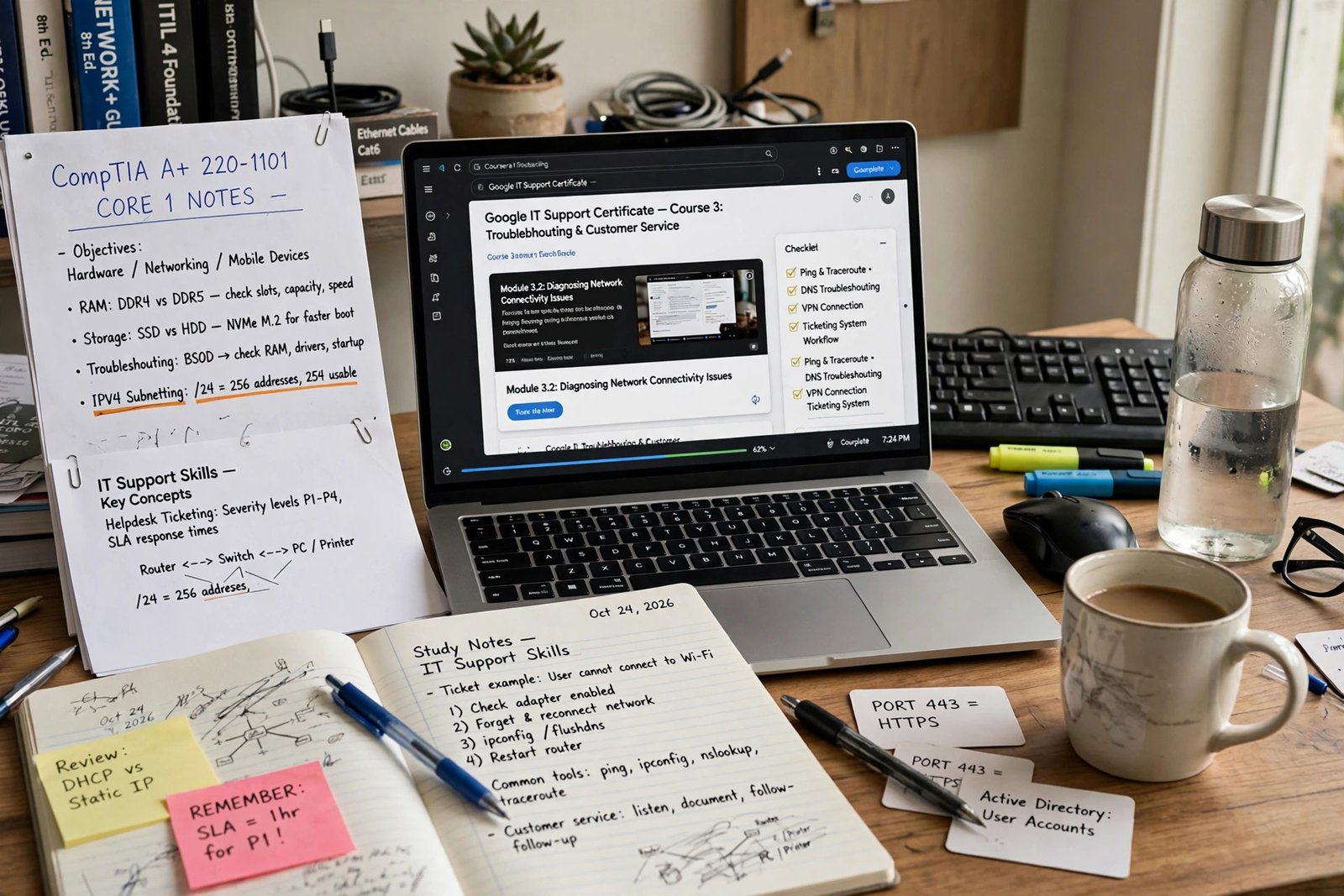
A study desk with certification notes and a laptop, preparing for IT support skills.
A Practical Action Plan
Use the plan below to move from reading to applying without trying to do everything at once. Adjust the pace to your current experience and available time.
Week 1: Clarify Your Target
Write down the role type you want first, such as help desk support or desktop support, and the shift pattern and time zone you can realistically cover. List your current skills honestly and note the gaps that appear most often in job descriptions for your target role. Set up a simple application tracker and save five to ten genuine job descriptions to study.
Weeks 2 to 4: Build Evidence
Work through one structured learning path for your target role, with hands-on practice wherever possible. Practise common troubleshooting scenarios and write short, clear explanations for each one. Update your CV with honest examples, prepare a concise cover-note template you can tailor, and practise answering interview scenarios in plain language.
Weeks 5 to 8: Apply in a Focused Way
Apply for roles that genuinely match your skills and availability, rather than applying for everything labelled remote. Tailor each application, keep your tracker up to date, and follow up politely where appropriate. After each interview, note what went well and what you would improve. If you receive feedback, use it to adjust your next application rather than treating it as a personal failure.
Ongoing: Keep Learning and Staying Safe
Support technology changes regularly, so keep learning in small, steady steps. Follow official documentation, practise new tools in a safe environment, and learn from colleagues and knowledge bases. At the same time, keep your job-search habits safe: verify employers independently, never pay for the promise of a job, and protect your personal information until you are confident the employer and process are genuine.
If your first applications do not lead to interviews, review the basics before changing direction completely. Are you applying for roles at the right level? Does your CV show clear examples? Are you explaining your transferable skills well? Small, specific improvements often help more than a complete restart.
Frequently Asked Questions
Do I need a degree for remote IT support jobs?
Not always. Entry requirements vary by employer and role. Some roles ask for a degree, some ask for college-level study or relevant certifications, and some accept a combination of practical experience and demonstrated skills. Read each job description carefully rather than assuming one rule applies everywhere. Practical troubleshooting ability, clear communication, and reliability are important in all cases.
Are remote IT support jobs suitable for beginners?
Many help desk and entry-level support roles are designed as starting points, especially when training and supervision are provided. Beginners should still expect to show basic technical understanding, good communication, and a willingness to follow procedures and learn. Roles that require deep networking, systems, or security expertise are usually better suited to people with more experience.
What is the difference between help desk and desktop support?
Help desk work is often the first point of contact and covers a wide range of everyday user problems, ticket logging, and escalation. Desktop support tends to focus more deeply on devices, operating systems, and applications used by end users. In practice, the two areas overlap, and smaller teams may combine them. The job description is the best guide to what a particular employer expects.
Can I work in remote IT support part-time?
Some employers offer part-time or shift-based support roles, but availability depends on the employer’s coverage needs. If you need part-time work, filter for that employment type and check the shift pattern carefully. A role described as remote is not automatically flexible in hours. You can also compare part-time remote options separately if a reduced-hours pattern is important to you.
Do certifications guarantee a remote IT support job?
No. Certifications can support an application by showing structured knowledge, but they do not guarantee employment. Employers also consider experience, practical skills, communication, interview performance, and fit for the team and shift pattern. Use certifications as part of a broader preparation plan, not as a substitute for practice and clear examples.
How can I tell if a remote IT support job is genuine?
Look for a clear employer identity, a detailed job description, a realistic application process, and a role listed on the employer’s official careers page or a reputable job board. Be cautious about payment requests, vague duties, instant offers, fake-check instructions, and pressure to act quickly. Verify the employer independently and talk to someone you trust before accepting an unusual offer.
What should I do if I have no professional IT experience yet?
Start with fundamentals, hands-on practice, and any relevant transferable experience from customer service, administration, teaching, or technical hobbies. Consider entry-level help desk roles, structured learning, and a small home lab or practice portfolio. Be honest about your level, show your method for solving problems, and target roles that offer training and supervision.
Conclusion: Start With the Role That Fits You Best
Remote IT support jobs offer a practical route into technology work for people who enjoy solving problems and helping others. The field is broad, so the best starting point is not the most impressive-sounding title, but the role whose daily work matches your skills, schedule, and learning goals. A help desk role may suit someone who enjoys variety and people contact. A desktop or network role may suit someone who wants deeper technical focus. A specialist support role may suit someone with strong product or industry knowledge.
Build your foundation carefully. Learn troubleshooting methodically, practise explaining technology in plain language, keep clear records, and follow security procedures. Choose learning and certifications that match the roles you actually want, and gather practical examples you can discuss in interviews. Search in a structured way, verify employers independently, and refuse any process that asks you to pay for a job or handle money in an unclear way.
You do not need to be perfect to apply. You need a clear target, honest preparation, and a steady application habit. Start this week by choosing your target role, studying five genuine job descriptions, and noting the skills you will practise first. That focused first step is often what turns a general interest in remote IT support jobs into a credible, well-prepared job search. For a broader view of current remote opportunities, start with the JobEdge Jobs page and narrow down from there.



Pingback: remote it jobs uk: complete guide to UK tech roles
Pingback: Health Care IT Jobs Remote: Complete Guide
Pingback: Data Entry Tech Jobs: Complete USA Guide
Pingback: IT Remote Job: How to Land One (USA)
Pingback: Remote Job Technical Support: Career Guide
Pingback: Work from Home IT: Careers and How to Start