



Technology runs on computers, and computers live happily in spare rooms — which is why work from home it is one of the most natural pairings in the modern job market. IT was remote-friendly before remote work had a name: systems are administered through screens, users are supported through tickets and calls, and code is written anywhere.
But “IT” is a wide field, and the path in depends heavily on which part of it you target. Helpdesk support, network administration, cybersecurity, software development, and QA testing are different jobs with different entry requirements — and adverts aimed at hopeful beginners do not always explain the differences honestly.
This guide maps the field plainly: what work-from-home IT actually includes, which roles hire remotely, what each demands, how to break in from where you are now, and how to avoid the traps. No invented salaries, no named employers, no promises — just the real structure of the field.
JOB DETAILS — AT A GLANCE
| Detail | At a glance |
|---|---|
| Category | Work From Home Jobs |
| Location | USA — work from home |
| Job Type | Full-time / Part-time / Contract — varies |
| Work Mode | Remote |
| Education Required | Varies by role — check the advert |
| Experience Required | Varies by role; entry routes exist — check the advert |
| Skills Required | Technical troubleshooting, documentation, communication, continuous learning |
| Salary/Pay | Varies by role — check the official advert; no figure is stated here |
| Who Can Apply | US-based candidates with the technical ability the role requires |
| How to Apply | Online — skills-focused resume, via the employer’s official listing |
Note: details vary by role and employer. Always check the official advert before applying.
Table of Contents
- 1. What work from home it actually covers
- 2. Common remote IT role types
- 3. Typical responsibilities in remote IT roles
- 4. Skills and certifications that matter
- 5. How to break into remote IT
- 6. What to avoid: red flags in IT adverts
- 7. Home lab and workspace setup
- 8. Career paths in remote IT
- Frequently Asked Questions
- Conclusion
1. What Work from Home IT Actually Covers
Work from home it spans everything from resetting passwords to architecting cloud infrastructure. To navigate it, think in layers.
Support layers (helpdesk, desktop support, technical support) help users and keep systems running day to day. This is the most common entry point into remote IT and the layer most beginners should target first.
Operations layers (systems administration, network administration, DevOps, site reliability) keep the infrastructure itself healthy: servers, networks, deployments, monitoring. These usually require experience or strong demonstrated skill.
Security layers (security analysis, incident response, compliance) protect systems and data. Genuine security roles require real expertise — be wary of adverts suggesting otherwise.
Build layers (software development, QA testing, data engineering) create and verify technology. Development is its own large field; QA testing is more accessible to newcomers with the right mindset.
Data layers (database administration, analytics engineering, business intelligence) manage and extract value from data.
What unites all layers is that the work happens through a screen — which is precisely why work from home it is so well established. But each layer has its own entry bar, and honest self-assessment about which bar you can currently clear is the most important career skill in this guide.
2. Common Remote IT Role Types
Here are the roles behind most genuine work from home it adverts, described by what they actually involve.
IT helpdesk / technical support specialists resolve user issues via ticketing systems, chat, email, and remote-access tools: login problems, software errors, device issues, access requests. The most realistic remote IT entry point. Our remote IT support jobs guide covers this path in depth.
Desktop and end-user support is similar but focused on the devices and software employees use daily, including setup, imaging, and lifecycle management — often done through remote tools.
Network support and junior network roles monitor connectivity, troubleshoot outages, and maintain documentation. Entry usually requires networking fundamentals.
Systems administrators manage servers, user accounts, backups, and updates — typically a step up from helpdesk, reached through experience.
QA / software testers verify that applications work as intended: running test cases, documenting bugs clearly, and retesting fixes. Suits methodical, detail-oriented minds and is more accessible than development.

Junior developers and support engineers write or maintain code, usually after demonstrating ability through projects or prior experience.
Cybersecurity analysts (entry-level) monitor alerts and follow incident procedures — real roles, but requiring genuine foundational knowledge. Treat “no experience needed, become a hacker” adverts as fiction.
Data support and reporting roles maintain dashboards, clean datasets, and support business users — a bridge between IT and analysis.
If you are mapping the broader field, our remote IT career guide explains how these roles connect, and the remote entry-level IT job guide details realistic first steps.
3. Typical Responsibilities in Remote IT Roles
Remote IT responsibilities follow recognisable patterns across roles. The list below is built from the role types above.
- Responding to support tickets, alerts, or user requests within stated timeframes.
- Diagnosing technical problems methodically: reproduce, isolate, test, resolve.
- Documenting issues, steps taken, and resolutions clearly in ticketing systems.
- Escalating complex problems with complete notes and attempted steps.
- Performing routine maintenance: updates, patches, backups, account management.
- Monitoring systems and dashboards for anomalies during your shift.
- Writing or updating knowledge-base articles so others can resolve repeat issues.
- Testing changes before they reach users.
- Following change-management and security procedures exactly.
- Communicating status and impact to non-technical users in plain language.
Notice how much of remote IT is communication and documentation, not just technical wizardry. Employers hiring for work from home it roles consistently prize people who write clear tickets, follow procedures, and explain issues calmly — because in remote IT, the ticket is the work product as much as the fix.
4. Skills and Certifications That Matter
IT hiring is skills-based, which is good news: you can build what adverts ask for. Here is what actually matters.
Troubleshooting methodology is the core skill: gathering information, forming hypotheses, testing one variable at a time, and verifying fixes. Practice it on your own equipment until it is instinctive.
Foundational knowledge appropriate to your target: operating systems, networking basics, and common business applications for support roles; deeper specialisation for advanced ones. Free vendor documentation and learning platforms cover most of it.
Documentation and written communication — tickets, guides, status updates — are daily work in remote IT. Clear writing is a technical skill here, not a soft extra.
Customer-service temperament for support roles: patience, empathy, and calm under pressure. Technical skill without people skill stalls at the helpdesk door.
Certifications help in specific contexts: CompTIA A+ and Network+ are widely recognised for support and junior roles; vendor certifications matter for their ecosystems; security certifications suit security paths. But treat adverts as the source of truth — pursue the credentials your target roles actually request, not every certificate marketed to you.
A home lab — even a modest one: a spare machine, virtual machines, a small network — is where skills become demonstrable. Employers notice candidates who tinker.
Continuous learning is structural in IT: systems change constantly, and standing still means falling behind. The habit matters more than any single credential.
For UK readers exploring the same field, our remote IT jobs UK guide covers British context.

5. How to Break Into Remote IT
Breaking into work from home it is a sequence, not a leap. Follow it in order.
- Pick one entry target — usually helpdesk or technical support — and study its adverts for a week.
- Build foundations: operating systems, networking basics, and troubleshooting practice on your own machines.
- Set up a simple home lab and document what you build and fix — this becomes interview material.
- Earn one relevant entry certification if your target adverts consistently request it.
- Write a skills-focused resume: technologies touched, problems solved, lab work, customer-facing experience.
- Apply to support roles through official channels, tailoring each application.
- Prepare stories of real problems you diagnosed and fixed — interviewers ask for these specifically.
- Consider on-site or hybrid IT roles first if remote-only proves too competitive initially; experience transfers.
- Keep learning employed or not — the field rewards the continuously curious.
Two honest notes. First, remote entry-level IT is competitive because everyone wants it; expect a real search, not an instant win. Second, some IT experience first accelerates everything — even a few months of on-site support makes remote applications dramatically stronger. There is no shame in a stepping-stone role; there is only strategy.
6. What to Avoid: Red Flags in IT Adverts
IT job seekers face specific scam patterns. Learn them as one list.
- Never pay fees for training, equipment, background checks, or “certification” from the employer.
- Be suspicious of text-chat-only interviews with no voice or video.
- Do not share bank details, Social Security numbers, or ID scans before a verified written offer.
- Watch for “no experience needed” paired with senior-level pay claims — real IT pay follows real skill.
- Avoid adverts selling expensive bootcamps as a guaranteed job pipeline; education is fine, guarantees are not.
- Never install remote-access software at an interviewer’s request before verifying them independently.
- Be wary of vague “IT specialist” titles with no stated technologies, duties, or requirements.
- Reject any role involving moving money, cashing checks, or “testing” payment systems with your own accounts.
An IT-specific check: verify the technologies. Real IT adverts name real systems, tools, and platforms. Adverts that talk only about “computers” and “the internet” while promising professional pay are not describing IT work — they are describing bait.

7. Home Lab and Workspace Setup
Remote IT workers need a slightly more serious setup than average — and building it doubles as skill development.
The workspace basics: a reliable primary computer, stable internet (wired if possible), a headset with microphone, a webcam, and a second monitor if you can manage it — tickets on one screen, systems on the other is the standard workflow.
The home lab is your training ground: an old laptop or desktop running virtual machines, a home network you have configured yourself, perhaps a small server or Raspberry Pi-style device. Every hour spent breaking and fixing your lab is interview preparation. Document your projects — “built a virtual network with three machines and documented the troubleshooting” is a genuine resume line.
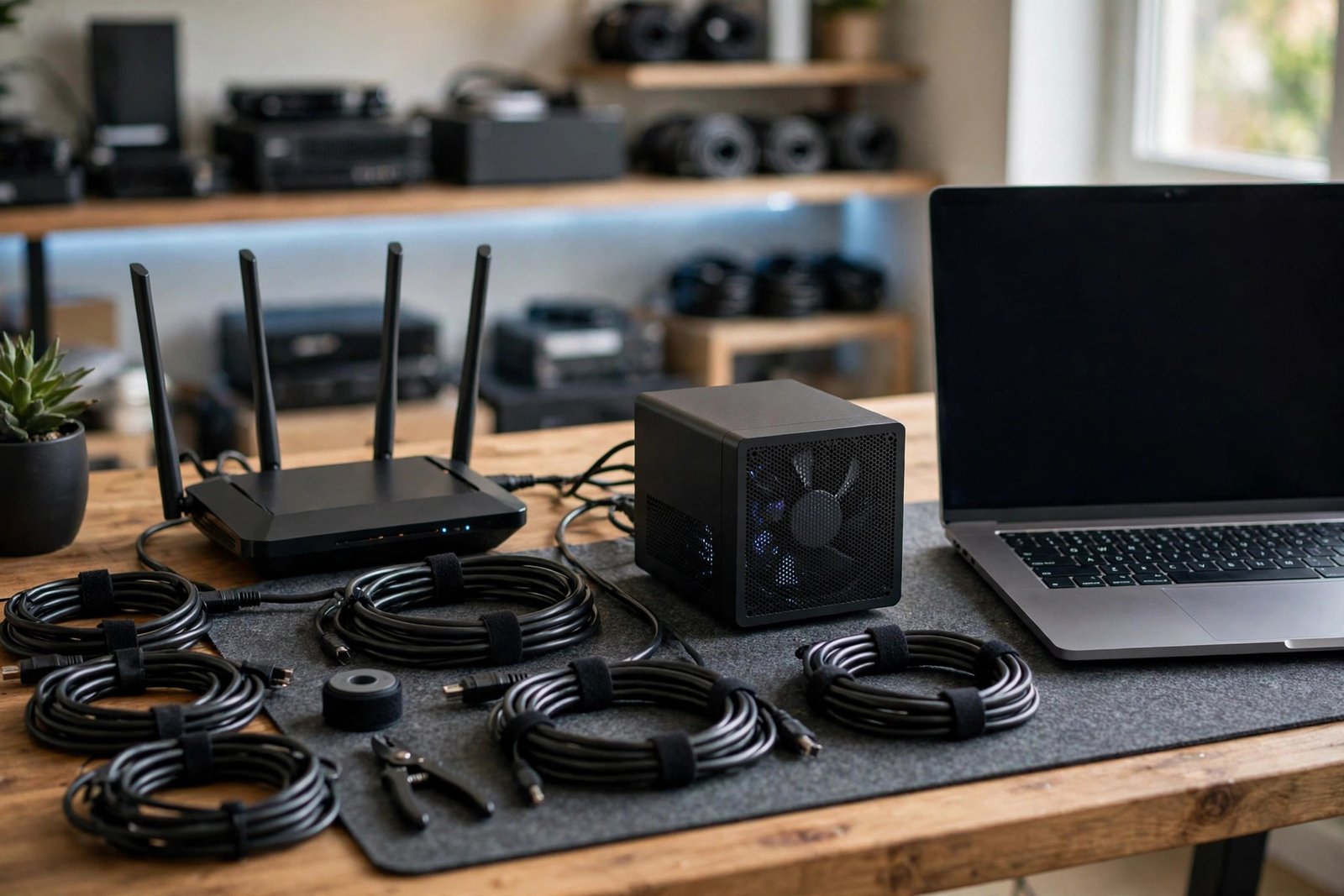
Security hygiene is professional hygiene in IT: password manager, two-factor authentication everywhere, updated systems, encrypted backups, and a separate user account for work. You will be expected to model this for users, so live it first.
Ergonomics matter for long screen days: chair, monitor height, breaks, lighting. And keep a learning routine — even thirty minutes daily compounds into serious capability over a year.
8. Career Paths in Remote IT
Remote IT offers some of the clearest progression ladders in remote work. Here are the main ones.
Support → systems: helpdesk to systems or network administration, via experience, lab work, and targeted certifications. The classic path, and still the most travelled.
Support → security: helpdesk to security operations, via foundational security knowledge and demonstrated analytical ability. Slower, but the destination is valuable.
Specialist depth: becoming the expert in one system, platform, or domain — the person teams call when it really breaks. Specialists are hard to replace and paid accordingly.
Leadership: team lead, service delivery, IT management — for those whose strength is coordinating people and processes rather than deepening technical skill.
Consulting and contracting: experienced professionals selling expertise per project. Higher reward, higher volatility — a later-career option for most.
Every path shares the same fuel: visible competence, documented achievements, continuous learning, and professional relationships. Remote IT careers are built ticket by ticket, project by project, year by year. The field rewards the steady and the curious above all.
Frequently Asked Questions
Can I get work from home it jobs with no experience?
Entry-level helpdesk and support roles are the realistic starting point. They value troubleshooting aptitude, communication, and reliability alongside basic technical foundations. Build a home lab, consider an entry certification your target adverts request, and expect a genuine search.
Do I need a degree for work from home it?
Many IT roles — especially support and operations — hire on demonstrated skill rather than degrees. Adverts are the source of truth: some employers require degrees, many do not. Skills, certifications, and proof of ability carry the most weight.
Which IT certifications help with remote jobs?
It depends on your target. CompTIA A+ and Network+ are widely recognised for support roles; vendor certifications matter within their ecosystems. Pursue what your target adverts actually request rather than collecting certificates speculatively.
Are work from home it job adverts legitimate?
Many are — technology companies, managed service providers, and enterprises of all kinds hire IT staff remotely. Verify every employer, never pay fees, insist on real interviews, and be sceptical of “no experience, high pay” promises.
What equipment do I need for remote IT work?
A reliable computer, stable internet, headset, and webcam cover most support roles; many employers provide equipment. A home lab for practice is strongly recommended for skill-building. Never pay an employer for equipment.
How long does it take to break into remote IT?
It varies widely with your starting point and effort. Building foundations, a lab, and possibly a certification typically takes months of consistent work, plus the job search itself. Treat it as a deliberate project, not a quick win.
Conclusion: A Field Built for Remote Work
Work from home it is not a trend or a loophole — it is the natural shape of technology work, which has always happened through screens. The roles are real, the paths are clear, and the entry points exist for people willing to build genuine skill.
Your next step: choose one entry target, study its adverts for a week, and start building — foundations, lab, documentation. Then verify every opportunity, apply with proof rather than promises, and keep learning. Remote IT rewards the methodical and the persistent. Be both.